
Download LanguageTool – Kostenloses KI-gestütztes Grammatik- und Rechtschreibprüfungsprogramm zur Schreibverbesserung
LanguageTool ist ein hochmodernes, kostenloses Online‑Korrekturtool, das künstliche Intelligenz nutzt, um präzise Grammatik‑, Rechtschreib‑ und Stilkorrekturen in mehr als 30 Sprachen zu liefern. Egal, ob Sie eine E‑Mail schreiben, einen Bericht erstellen oder ein Forschungspapier bearbeiten, LanguageTool sorgt dafür, dass Ihr Inhalt klar, professionell und fehlerfrei ist. Mit seiner intuitiven Benutzeroberfläche und dem leistungsstarken Backend‑Engine ist es einer der vertrauenswürdigsten Grammatikprüfer für Studierende, Fachleute und Content‑Creator.
Die Plattform unterstützt mehrere Browser, darunter Chrome, Edge, Firefox, Safari und Opera, und lässt sich nahtlos in gängige Office‑Suites wie Google Docs, Microsoft Word, OpenOffice und LibreOffice integrieren. Für Nutzer, die erweiterte Funktionen wünschen, bietet die Premium‑Version Umschreibvorschläge, den Picky‑Mode für strengere Interpunktionsprüfungen und personalisierte Stil‑Empfehlungen. Vertrauenswürdig bei globalen Unternehmen wie der BMW Group und Amazon, kombiniert LanguageTool Sicherheit, Genauigkeit und Benutzerfreundlichkeit in einem Paket.
Mit einem 20 % Rabatt auf den Premium‑Plan ist es eine kluge Investition für alle, die ihre Schreibqualität ernsthaft verbessern wollen.
Warum LanguageTool unter den Grammatikprüfern herausragt
When it comes to writing enhancement tools, LanguageTool distinguishes itself through its robust AI-powered engine and broad language support. Unlike many basic spell-checkers that only catch simple errors, LanguageTool goes beyond by identifying complex grammatical issues such as subject-verb agreement, tense inconsistencies, misplaced modifiers, and awkward phrasing. Its advanced natural language processing (NLP) algorithms analyze sentence structure and context, delivering corrections that feel natural and contextually appropriate. This makes it especially useful for non-native English speakers aiming to write fluently and confidently. One of the most impressive aspects of LanguageTool is its multilingual capability. It supports over 30 languages, including Spanish, German, French, Portuguese, Russian, and Chinese, making it ideal for international teams, academic researchers, and global content creators. Whether you're drafting a business proposal in German or proofreading a blog post in Japanese, LanguageTool maintains high accuracy across all supported languages. This versatility is rare among grammar tools, which often limit their features to just English or a few major European languages. Another standout feature is the quality scoring system. After analyzing your text, LanguageTool assigns a readability and correctness score, helping users quickly identify areas that need improvement. This visual feedback is particularly helpful for writers who want to track their progress over time. Additionally, the personal dictionary allows users to add custom terms, technical jargon, or brand-specific names, ensuring that legitimate words aren’t flagged as errors. The tool also supports browser extensions and desktop integrations, so you can proofread anytime, anywhere—whether you're working in Gmail, a Word document, or a web form.Nahtlose Integration und einfache Installation für alle Plattformen
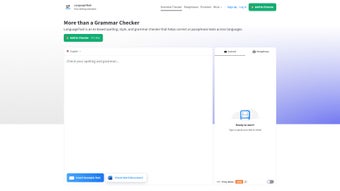
Using LanguageTool is straightforward, thanks to its wide range of integration options and simple setup process. For users who prefer a browser-based experience, the web version is accessible directly through any modern browser—Chrome, Edge, Firefox, Safari, or Opera—without the need for downloads. Simply paste your text into the editor, and within seconds, LanguageTool highlights errors with color-coded suggestions. The interface is clean, responsive, and designed with user experience in mind, making it easy to accept or reject corrections with a single click. For those who work extensively with documents, the desktop and office integrations are game-changers. LanguageTool offers plugins for Google Docs, Microsoft Word, OpenOffice, and LibreOffice, allowing real-time grammar checks while you type. Installation is quick: just visit the official website, navigate to the “Plugins” section, and follow the step-by-step instructions. Once installed, the tool runs silently in the background, automatically scanning your text as you write. This is especially beneficial for long-form writing projects like essays, reports, or manuscripts. Mobile users aren’t left out either. While the full desktop experience isn’t available on smartphones, the web version is fully responsive and works well on both Android and iOS devices. You can access your documents through a mobile browser and proofread on the go. The tool also supports keyboard shortcuts and customizable settings, so you can tailor the experience to your workflow. Whether you're on Windows, Mac, or a mobile device, LanguageTool ensures consistent performance and reliability. With regular updates and a strong focus on security, the software remains fast, stable, and safe to use—no data is stored on servers unless explicitly chosen by the user.Pros, Cons, and Frequently Asked Questions
- Pros:
- Unterstützt über 30 Sprachen mit hoher Genauigkeit
- Kostenlose Version bietet robuste Grammatik‑ und Rechtschreibprüfungen
- Nahtlose Integration mit Google Docs, Word und anderen Office‑Tools
- Persönliches Wörterbuch für benutzerdefinierte Begriffe und Fachjargon
- KI‑gestützte Korrekturen mit kontextbezogenen Vorschlägen
- Qualitätsbewertung zur Einschätzung von Klarheit und Korrektheit des Textes
- Sicher, datenschutzorientiert, ohne standardmäßige Datenspeicherung
- Cons:
- Erweiterte Funktionen wie Umschreiben und Picky‑Mode erfordern ein Premium‑Abonnement
- Einige Nutzer berichten gelegentlich über Fehlalarme bei komplexen Sätzen
- Mobile App nicht verfügbar – nur webbasierter Zugriff auf Smartphones
- Einarbeitungszeit für neue Nutzer, die mit Grammatik‑Terminologie nicht vertraut sind
- Kostenlose Version fehlt Echtzeit‑Kollaborationsfunktionen
Frequently Asked Questions (FAQ)
Is LanguageTool completely free to use?
Ja, LanguageTool bietet eine voll funktionsfähige kostenlose Version, die Grammatik‑ und Rechtschreibprüfungen in über 30 Sprachen beinhaltet. Sie können es online oder über Browser‑Erweiterungen und Office‑Plugins ohne Kosten nutzen. Erweiterte Funktionen wie Umschreiben, Picky‑Mode und Stil‑Vorschläge sind jedoch nur im Premium‑Plan verfügbar.
Can I use LanguageTool with Microsoft Word and Google Docs?
Absolut. LanguageTool stellt offizielle Plugins für sowohl Microsoft Word als auch Google Docs bereit. Nach der Installation läuft es im Hintergrund und prüft Ihren Text in Echtzeit. Die Integration ist reibungslos und stört Ihren Arbeitsfluss nicht, was es ideal für Studierende, Autoren und Fachleute macht.
Does LanguageTool support my native language?
LanguageTool unterstützt mehr als 30 Sprachen, darunter wichtige wie Deutsch, Französisch, Spanisch, Russisch und Chinesisch. Wenn Ihre Sprache in der Liste steht, können Sie sie mit vollständigen Grammatik‑ und Rechtschreibprüfungen nutzen. Die offizielle Website enthält die vollständige Liste der unterstützten Sprachen.
Is my data safe when using LanguageTool?
Ja, LanguageTool legt großen Wert auf den Datenschutz. Standardmäßig werden Ihre Texte nicht auf den Servern gespeichert. Das Tool verarbeitet Ihre Inhalte nach Möglichkeit lokal, und selbst wenn sie an die Server gesendet werden (bei Web‑Nutzung), werden sie verschlüsselt und sofort nach der Verarbeitung gelöscht. Es werden keine persönlichen Daten behalten.
How do I get the 20% discount on the Premium plan?
Der 20 % Rabatt ist über Sonderaktionen auf der LanguageTool‑Website verfügbar. Suchen Sie im Bereich „Premium“ nach aktiven Rabattcodes. Abonnenten erhalten dieses Angebot häufig während saisonaler Aktionen oder bei der ersten Anmeldung.



.png)



